

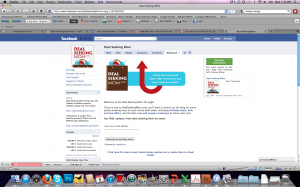
Many of you have asked why you’re not receiving Deal Seeking Mom status updates on Facebook any longer, and I’ve been unable to find find a fix for the issue…until now. Thanks to Mercedes at Common Sense With Money for sharing these easy steps to ensuring that you’re seeing all updates in your feed!
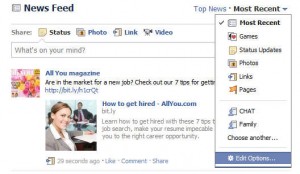
- At the top of your Facebook home page click Most Recent.
- Then click the down arrow next to Most Recent and select Edit Options.
- A small box will pop up, and you want to choose the All of your friends and pages option.
So easy! I was wondering why I wasn’t seeing many of my friends and other updates myself.
Not a fan of Deal Seeking Mom yet? Join more than 51,622 others for more conversation, additional deals and a peek at the freebies I receive in the mail there!

 Play Stouffer’s
 The first 25,000 people to visit