

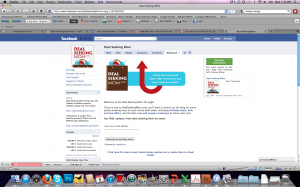
Many of you have asked why you’re not receiving Deal Seeking Mom status updates on Facebook any longer, and I’ve been unable to find find a fix for the issue…until now. Thanks to Mercedes at Common Sense With Money for sharing these easy steps to ensuring that you’re seeing all updates in your feed!
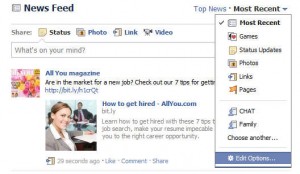
- At the top of your Facebook home page click Most Recent.
- Then click the down arrow next to Most Recent and select Edit Options.
- A small box will pop up, and you want to choose the All of your friends and pages option.
So easy! I was wondering why I wasn’t seeing many of my friends and other updates myself.
Not a fan of Deal Seeking Mom yet? Join more than 51,622 others for more conversation, additional deals and a peek at the freebies I receive in the mail there!

tami jackson
That still didn’t work with my site; but the posts are actually coming up if you’ll click on the “status updates” button and then click “pages”…Mine still doesn’t come up in the feed and I’ve always had the “all friends and pages” chosen. So, hopefully, this helps if some are experiencing the same problems as me. :)
tami jackson
I meant “most recent” and not “status updates”. sorry :)
Kathy
I wondered where everyone went! Thanks for the instructions – it was super easy and now I can see what’s going on.